
Download and import
Download and extract the complete ZIP to your imaging computer. Place its contents in the N.I.N.A. Templates folder, or follow the import walkthrough. The folder hierarchy keeps the templates organized for future updates.
Mono target imaging
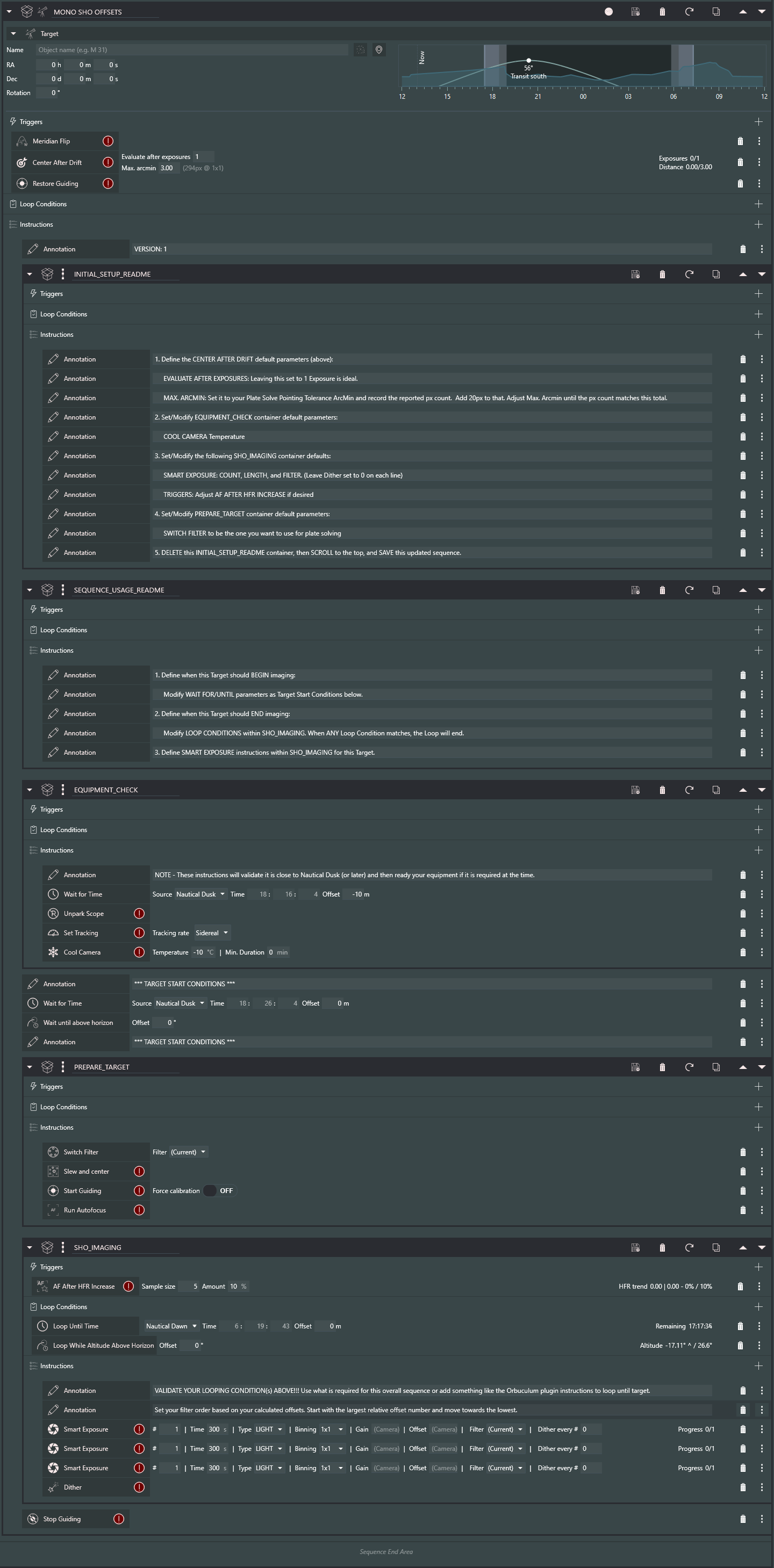
Select the template that matches your filters, focusing, and rotation setup. The names below open sequence previews; the actual template files are in the ZIP.
The LRGB example shows how a template looks inside the Advanced Sequencer.
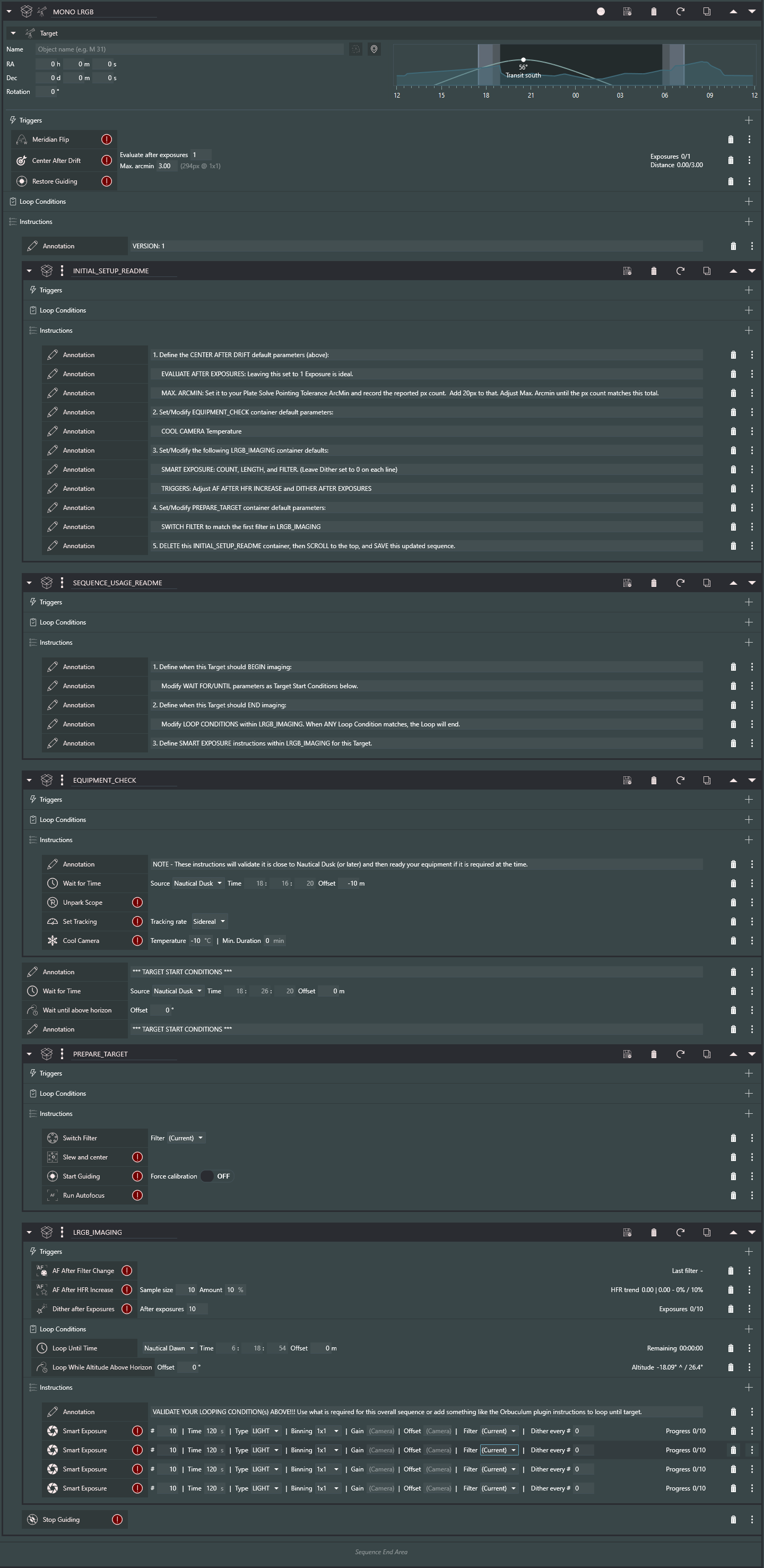
MONO LRGB.template.jsonLRGB filters, with autofocus as needed.MONO SHO.template.jsonSHO filters, with autofocus as needed.MONO LRGB OFFSETS.template.jsonLRGB with focus offsets.MONO SHO OFFSETS.template.jsonSHO with focus offsets.MONO LRGB ROTATE.template.jsonLRGB with rotation.MONO SHO ROTATE.template.jsonSHO with rotation.MONO LRGB OFFSETS ROTATE.template.jsonLRGB with focus offsets and rotation.MONO SHO OFFSETS ROTATE.template.jsonSHO with focus offsets and rotation.




One-shot color


Start and end an imaging session


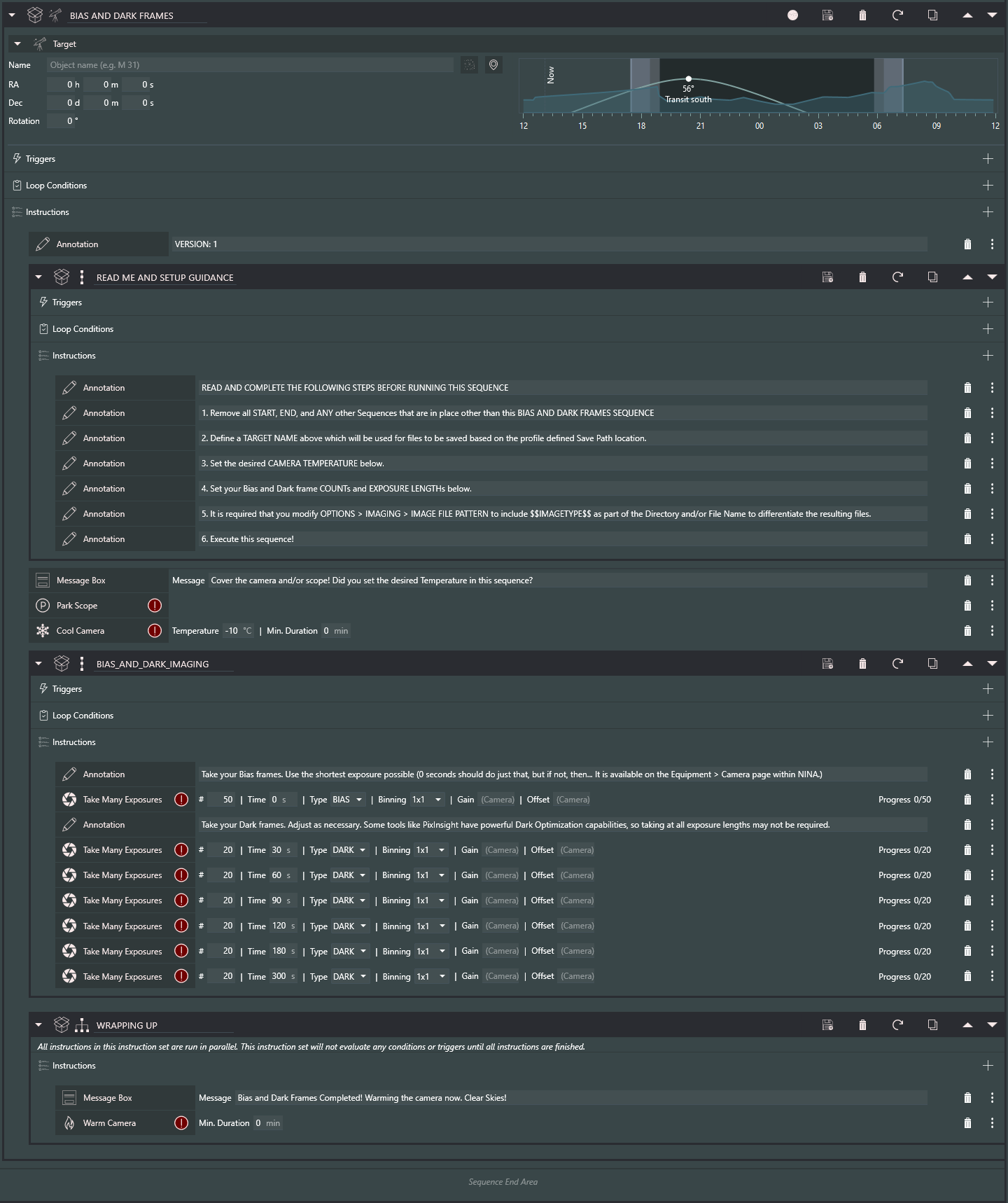
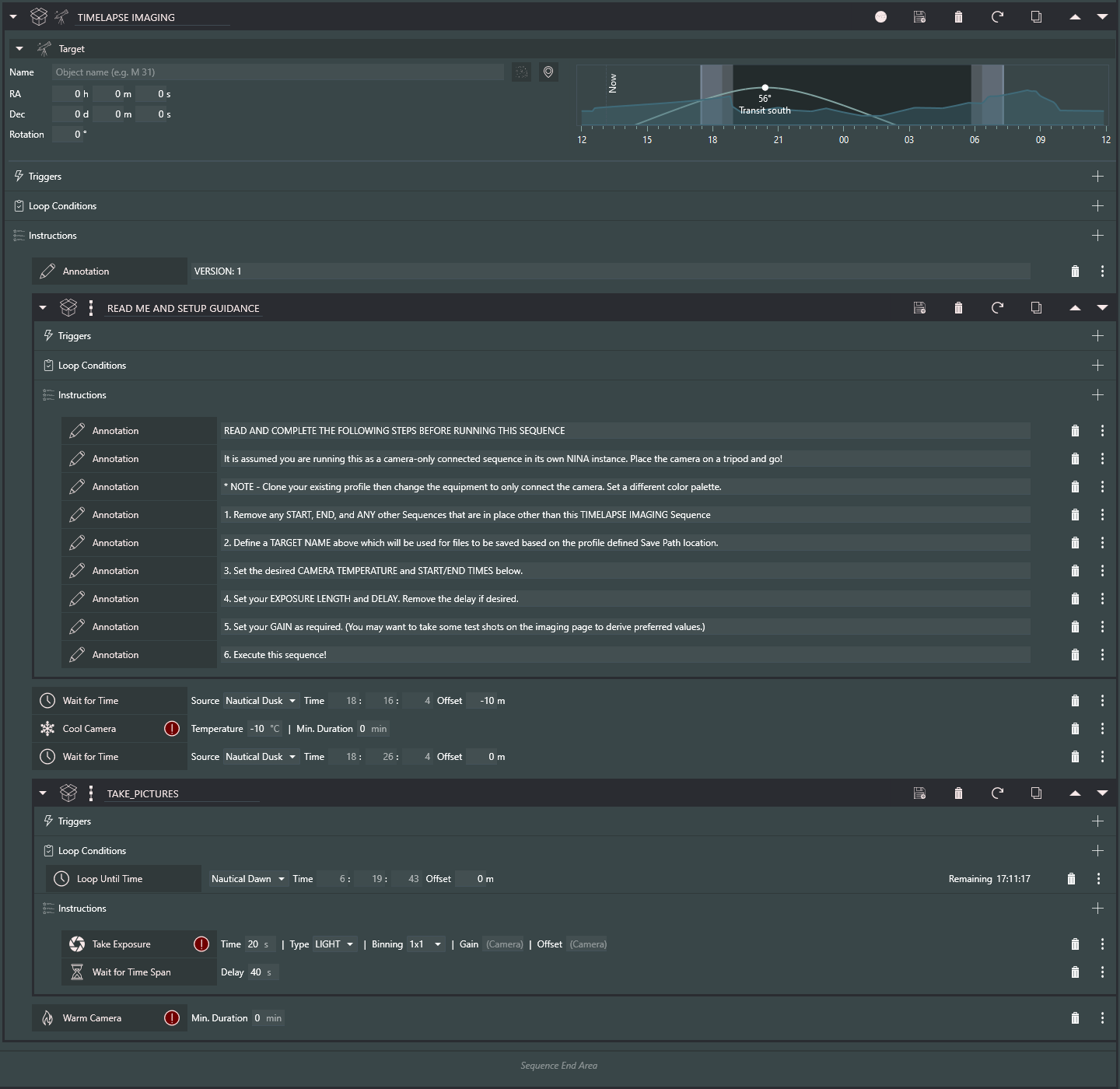
Calibration and special captures

Startup sequences in the ZIP
BASIC_STARTUP_PA.jsonSimple start and end sequence to frame the night.
LOOPED_STARTUP_PA.jsonLoops multiple targets through the night, such as a mosaic.
DOME_SAFETY_STARTUP_PA.jsonPatriot Astro’s adaptation of Jerry Macon’s sequence for ASCOM Safety Monitor Safe/Unsafe commands.